Projects & Hierarchy
Kairo allows you to organize your tasks into projects and deep hierarchies, keeping your workspace clean and focused.
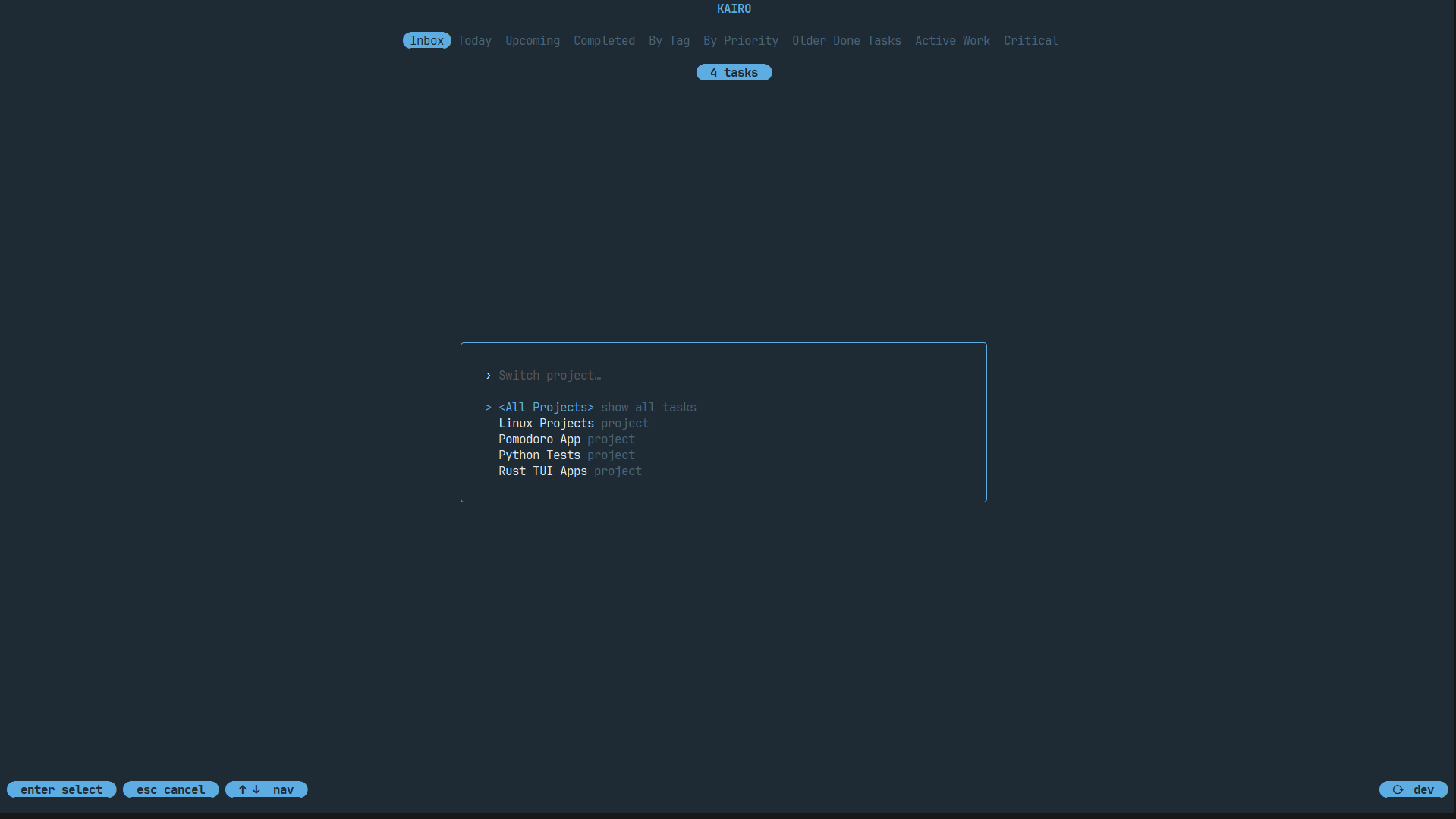
Projects
A Project is a top-level container for tasks. By default, tasks go into the "Inbox".
Switching Projects
Press ctrl+e to open the project switcher. You can:
- Select an existing project to filter the task list.
- Create a new project on the fly.
- View "All Projects" for a global view.
Moving Tasks to Projects
In the task editor, you can assign a task to a project via the Project field.
Pro Tip: Press Enter on the Project field in the editor to open an interactive list of your existing projects. This prevents typos and makes it easy to stay organized. If you type a new project name and save, Kairo will create it for you.
Task Nesting (Hierarchy)
Kairo supports infinitely deep task nesting. This is perfect for breaking down complex features into sub-tasks.
Creating Sub-tasks
- Open the editor for a task.
- Set the Parent field to the ID of another task.
- Save the task.
Alternatively, you can use the Command Palette (ctrl+p) to "Move to Parent".
Visualizing Hierarchy
In the task list:
- Sub-tasks are indented under their parents.
- Use
Spaceto collapse or expand a parent task's sub-tasks. - Parent tasks show a completion progress indicator (e.g.,
[2/5]) if they have sub-tasks.
Focus Mode
When you select a project, Kairo enters Focus Mode. Only tasks within that project are visible, and the Momentum Dashboard (s) provides insights specific to that project.