Configuration
Kairo is highly customizable via a config.toml file. This file is automatically generated on your first run.
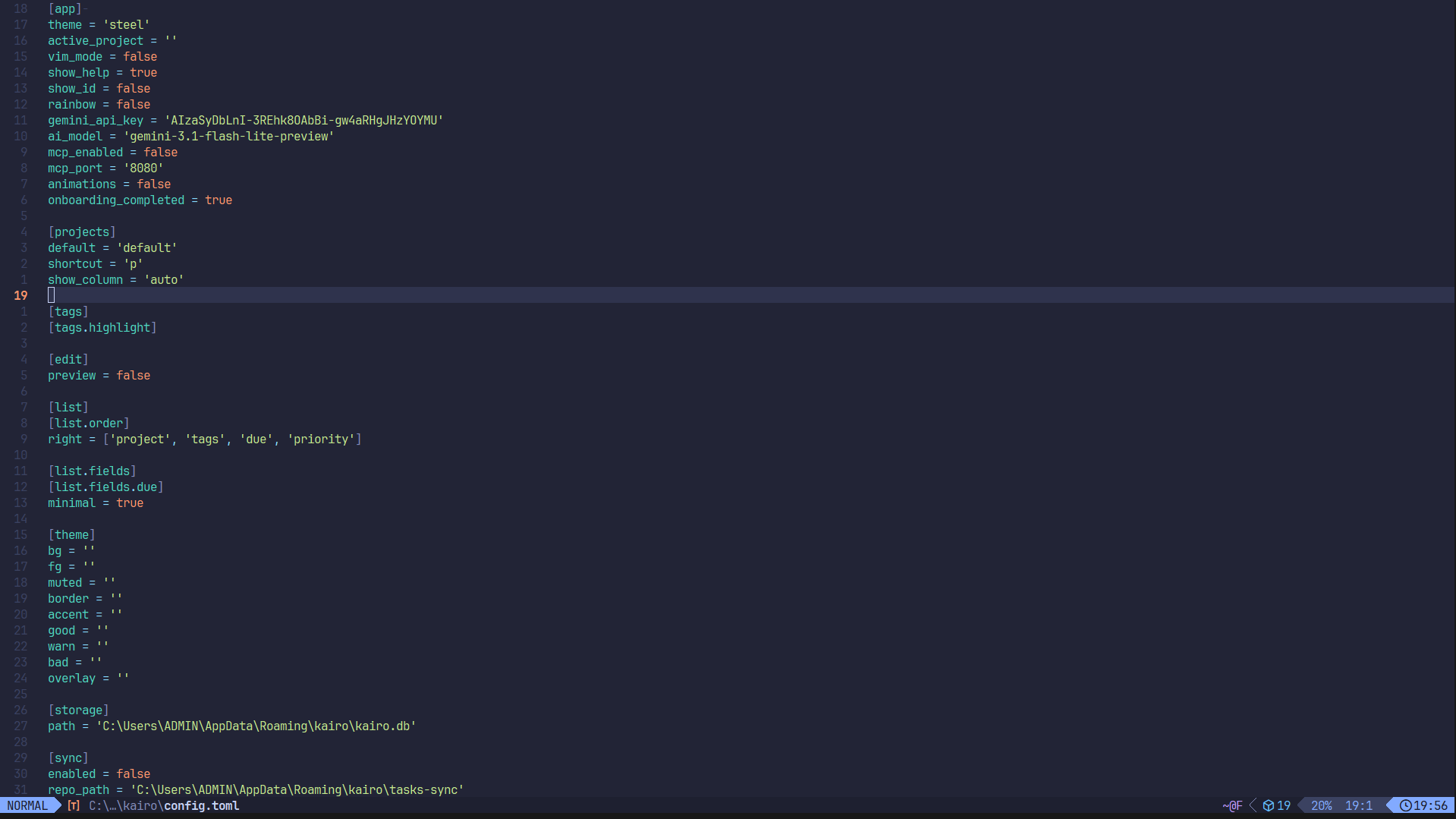
File Location
- Linux:
~/.config/kairo/config.toml - macOS:
~/Library/Application Support/kairo/config.toml - Windows:
%APPDATA%\kairo\config.toml
In-App Settings
You don't always need to edit the file manually. Press ctrl+s in Kairo to open the Settings Menu, where you can toggle most common options.
Config Reference
App Settings
[app]
theme = "catppuccin"       # UI theme name
vim_mode = false           # Enable Vim-style navigation
show_help = true           # Show help footer
show_id = true             # Show task IDs in detail view
animations = true          # Enable UI animations
rainbow = false            # Animated rainbow logo
gemini_api_key = ""        # API key for AI assistant
Task List Customization
You can control what fields are shown on the right side of the task list:
[list.order]
right = ["project", "tags", "due", "priority", "open_issue_id"]
Valid values: tags, due, priority, project, open_issue_id. Columns with no content are rendered as fixed-width placeholders, maintaining alignment regardless of order.
Field Settings
[list.fields.due]
minimal = true             # Abbreviate "overdue" to "OD"
Edit Settings
[edit]
preview_default = false    # Show Markdown preview by default
Git Sync
[sync]
enabled = false            # Enable Git-backed sync
remote = "origin"          # Git remote name
branch = "main"            # Git branch name
auto_push = true           # Push changes automatically on quit
Hot Reloading
Kairo watches its configuration file. If you make changes to config.toml in another editor, Kairo will apply them immediately without needing a restart.