Recurring Tasks
Kairo automates repetitive work through a robust recurring task system. When a recurring task is completed, Kairo automatically generates the next instance.
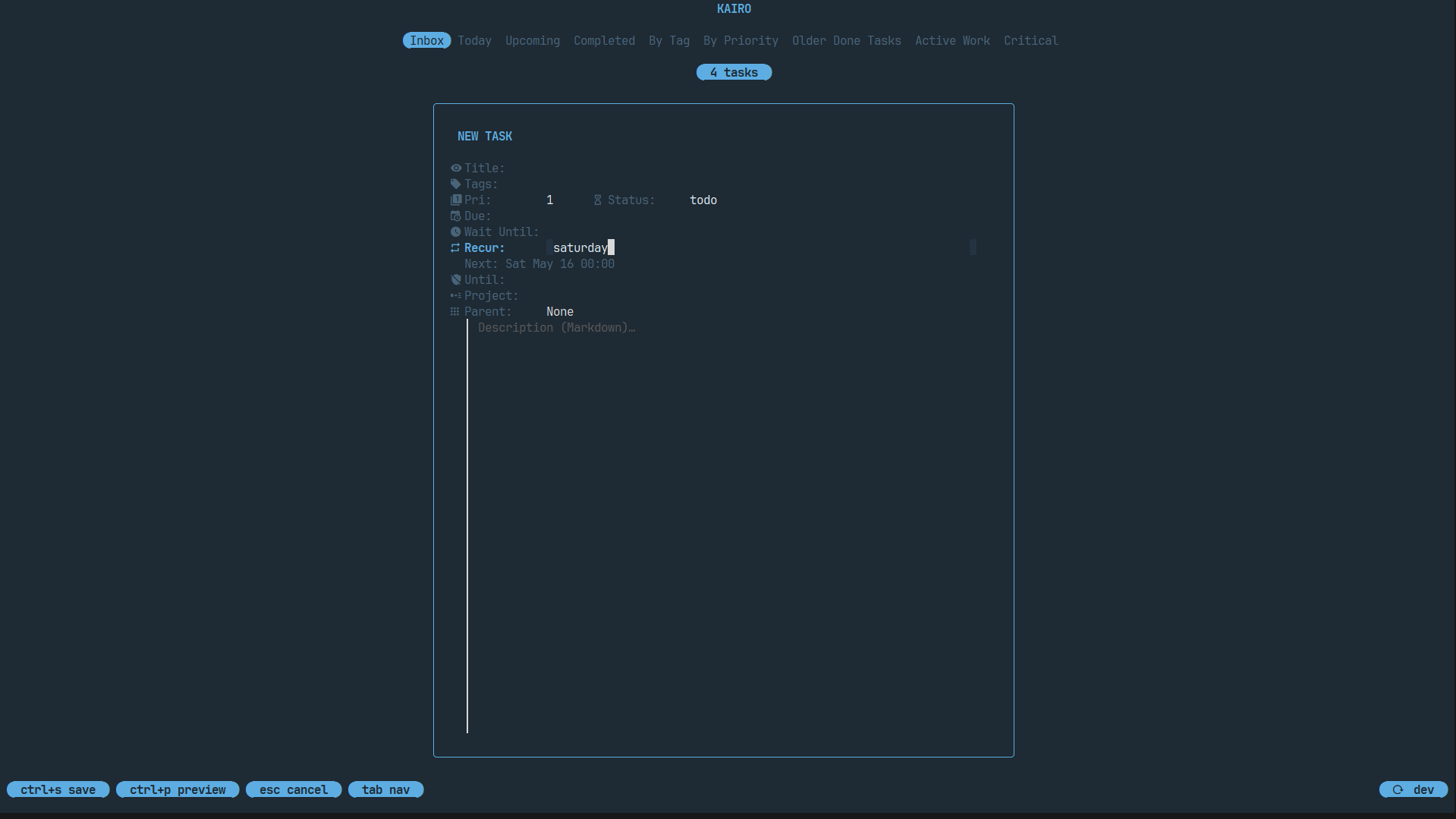
Recurrence Types
Kairo supports three types of recurrence:
| Type | Description |
|---|---|
| None | A standard, one-off task. |
| Weekly | Repeats on specific days of the week. |
| Monthly | Repeats on a specific day of the month. |
Setting Up Recurrence
In the task editor (e), you can configure recurrence:
Weekly Recurrence
- Set Recurrence to
weekly. - In the Weekly Days field, enter comma-separated days (e.g.,
mon,wed,fri). - Kairo will schedule the next instance on the earliest upcoming day in your list.
Monthly Recurrence
- Set Recurrence to
monthly. - In the Monthly Day field, enter a number from
1to31. - Kairo will schedule the task for that day every month.
Smart Due Dates
When a recurring task is completed:
- The current task is marked as
done. - A new task is created with the same title, tags, priority, and project.
- The Due Date of the new task is automatically calculated based on the recurrence schedule.
Advanced Controls
Wait Until
Use the wait_until field (in config.toml or via API) to hide a recurring task until it's actually relevant. New instances won't appear in your list until the wait_until time has passed.
Until
The until field allows you to set an "expiration date" for the recurrence. After this date, Kairo will stop generating new instances of the task.
Behavior Notes
- Frictionless Completion: Just press
zon a recurring task. Kairo handles the logic instantly. - Manual Overrides: You can always edit the due date of a generated instance without affecting the overall recurrence schedule.