Git Sync
Kairo uses a Git-backed synchronization system. This means you own your data, and you can sync it across machines without relying on a centralized proprietary backend.
How it Works
Kairo treats its database directory as a Git repository. Every time you make a change, Kairo creates a commit. When you quit or manually trigger a sync, Kairo pushes these commits to your configured remote.
Setup
-
Initialize a Git repo in your Kairo data directory:
cd ~/.config/kairo/ # Or your OS equivalentgit initgit remote add origin https://github.com/youruser/kairo-data.git -
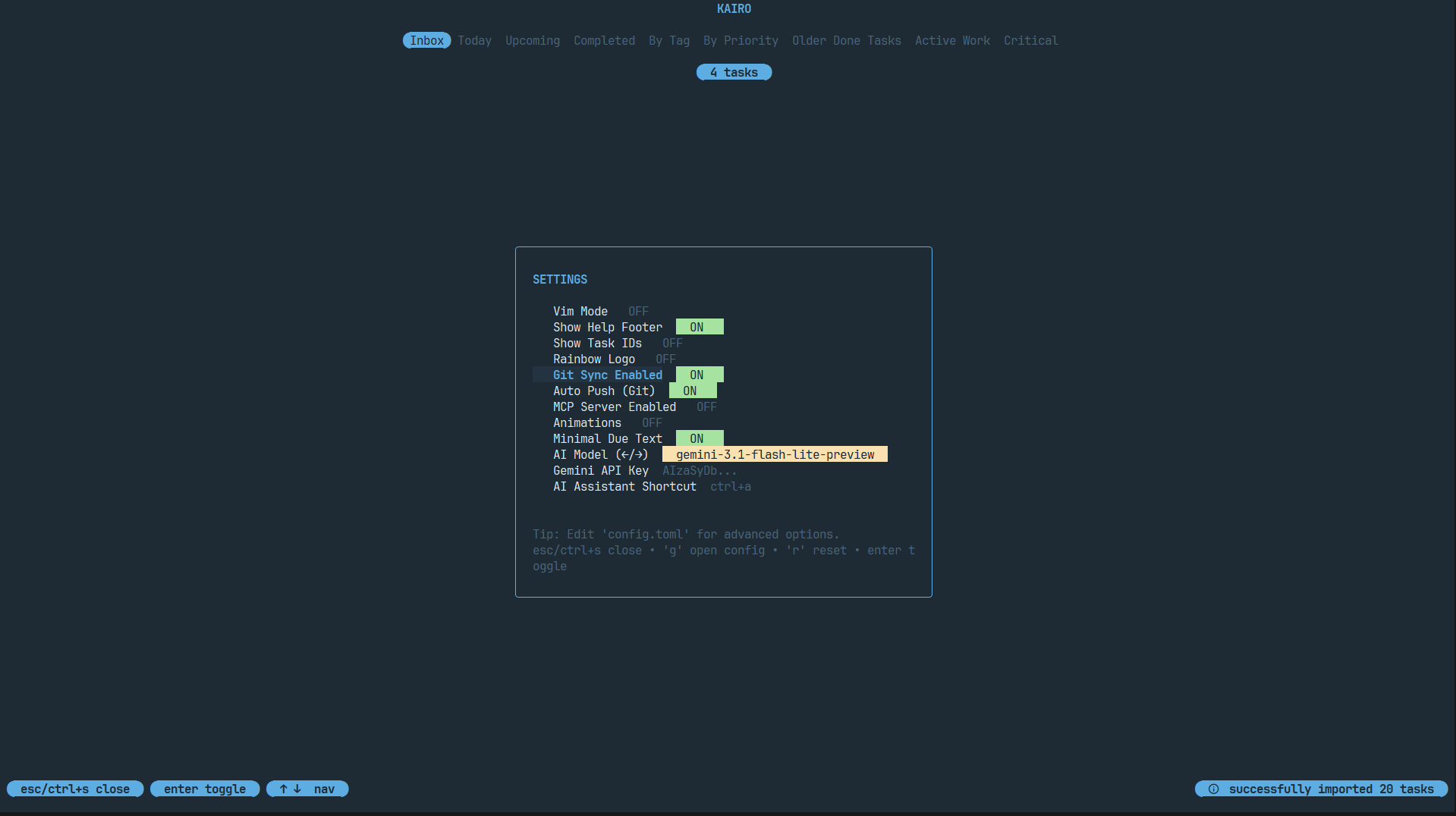
Enable sync in Kairo (
ctrl+s) or inconfig.toml:[sync]enabled = trueremote = "origin"branch = "main"auto_push = true
Conflict Resolution
If changes are made on multiple machines, Kairo handles conflicts gracefully:
- Auto-Merge: Most task updates can be merged automatically by Git.
- Merge Commits: Kairo will attempt to pull and merge before pushing.
- Safety First: If a conflict cannot be resolved automatically, Kairo will pause sync and notify you, allowing you to resolve it manually in your data directory.
Benefits
- Version History: Every change is a commit. You can use standard Git tools to audit your history.
- Privacy: Use a private GitHub repo, a self-hosted Git server, or even a local network drive.
- Offline First: Work offline as much as you want; Kairo will sync your backlog when you're back online.