Import & Export
Kairo believes in data portability. You can easily bring your tasks into Kairo or export them for use in other applications.
Supported Formats
| Format | Extension | Description |
|---|---|---|
| JSON | .json | Full fidelity. Preserves IDs, hierarchy, and metadata. |
| CSV | .csv | Flat list. Good for spreadsheets. |
| Markdown | .md | Human-readable. Great for meeting notes or project docs. |
| Plain Text | .txt | Minimalist list of titles. |
Exporting Data
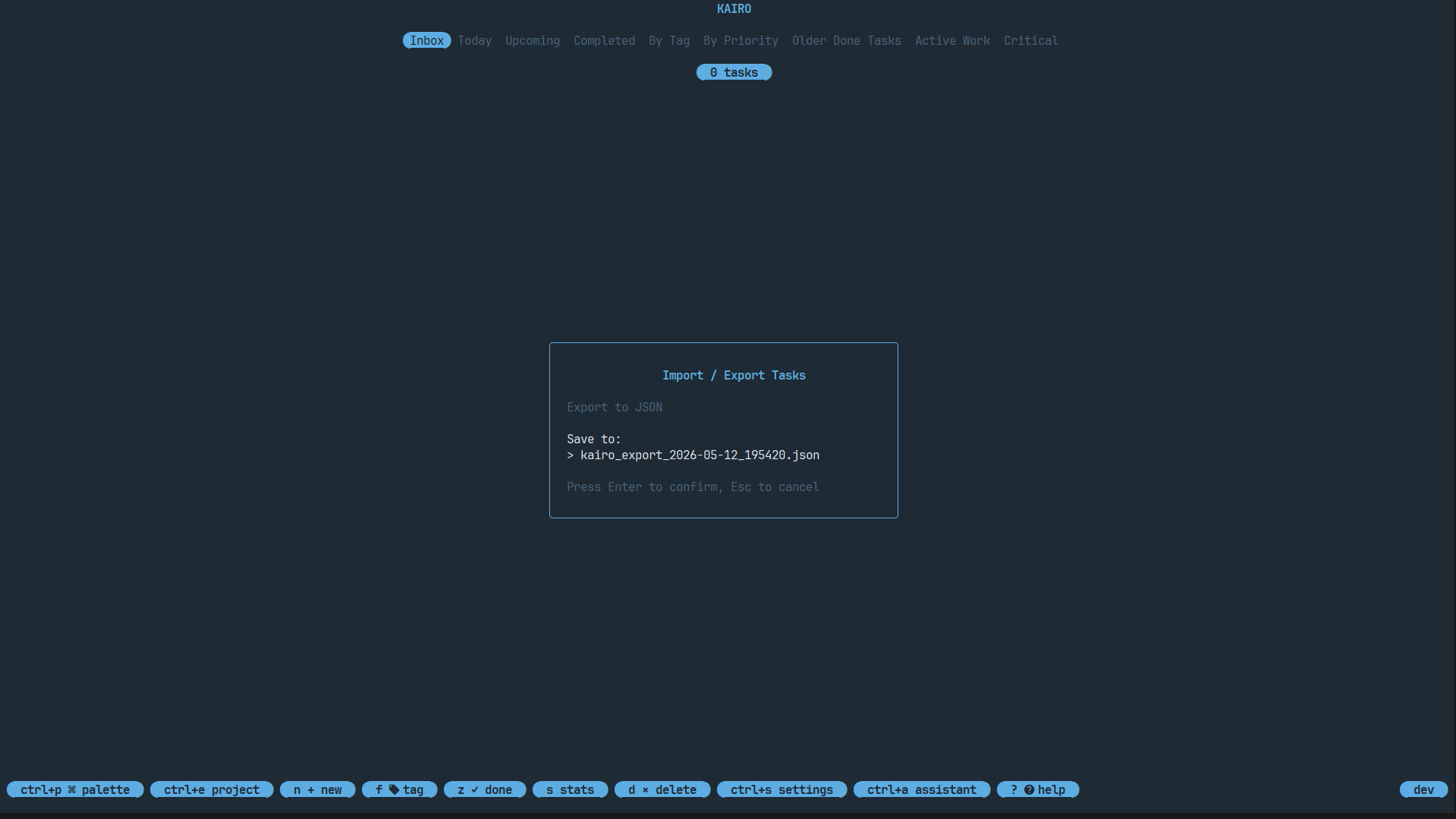
Press x from the main list view to open the Import/Export Menu.
- Select Export.
- Choose your desired format.
- Kairo will generate the file and show you the save path.
Importing Data
- Press
xand select Import. - Point Kairo to your file (JSON, CSV, MD, or TXT).
- Kairo will parse the file and upsert the tasks into your database.
Smart Hierarchy Import
When importing JSON or Markdown with nested structures, Kairo automatically preserves the parent-child relationships and restores the visual hierarchy in your task list.
Automation via CLI
You can also export data directly from your terminal:
kairo export --format markdown > my_tasks.md
See the CLI API Reference for more details.