Tag Highlighting
Make your task list instantly scannable by color-coding your tags. Kairo allows you to define custom styles for specific tags in your config.toml.
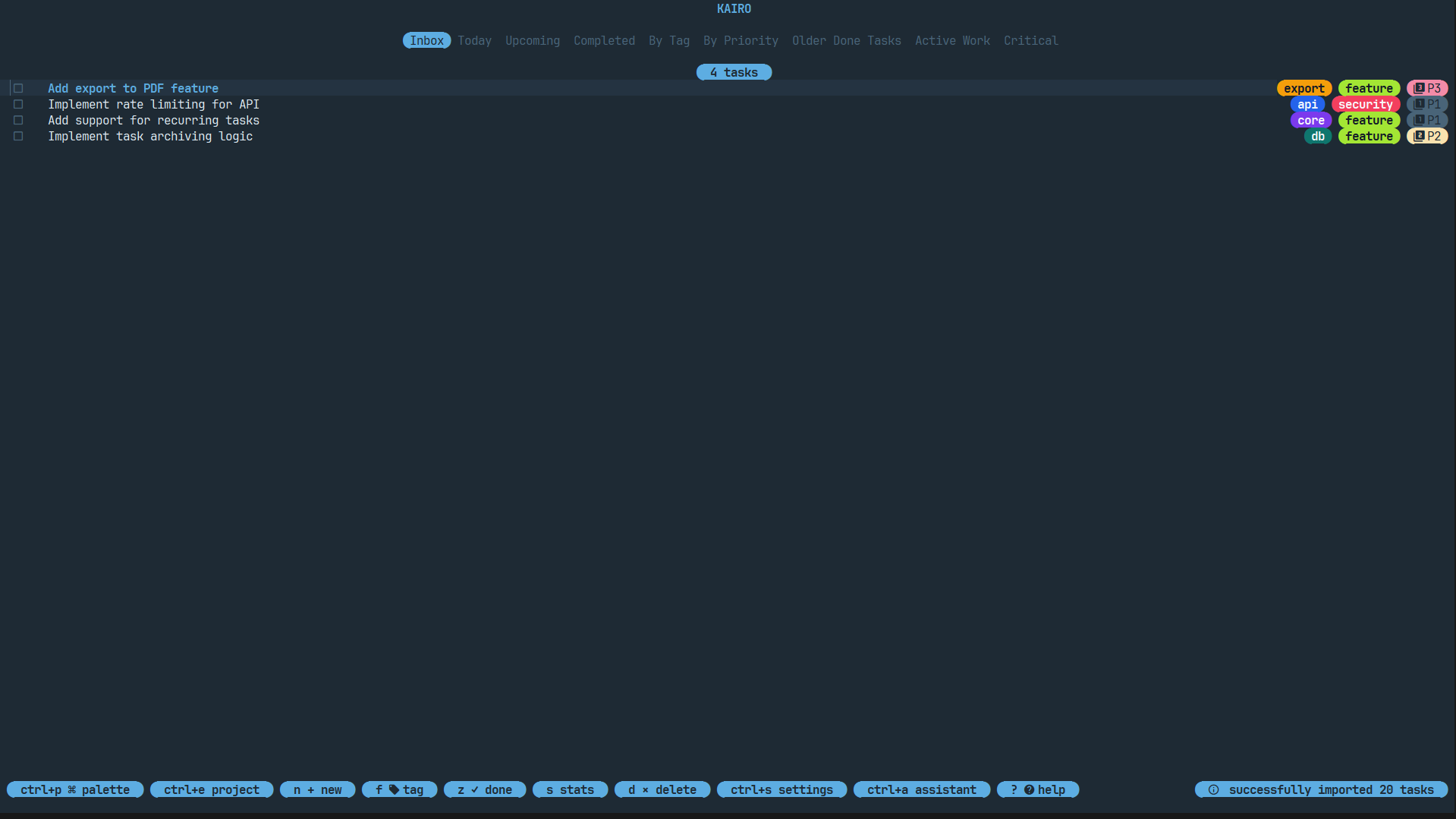
Configuration
Add a [tags.highlight] section to your config.toml:
[tags.highlight]
work    = { fg = "#CCCCCC" }
private = "fg=#EEEEEE,bg=#0000FF,bold"
diy     = "bg=accent"
bug     = "fg=#FF0000,underline"
Styling Options
You can provide styling as a table or a comma-separated string.
Properties
fg: Foreground color (hex code or theme alias).bg: Background color (hex code or theme alias).bold: Boolean (table) orbold(string).italic: Boolean (table) oritalic(string).underline: Boolean (table) orunderline(string).
Theme Aliases
Instead of hardcoding hex values, you can use semantic aliases that adapt to your current theme:
accent: The primary accent color of the theme.surface: A slightly lighter/darker background.text: Standard text color.
Example: Priority-based Tags
You can use tag highlighting to create a secondary priority system:
[tags.highlight]
blocker  = "bg=#FF0000,fg=#FFFFFF,bold"
p1       = "fg=accent,bold"
p2       = "fg=accent"
Scoped Highlighting
Tag highlights are applied globally across all projects. This ensures that a bug always looks like a bug, no matter where it is.