Markdown Preview
Kairo supports Markdown for task descriptions, allowing you to include rich text, lists, and code snippets directly in your tasks.
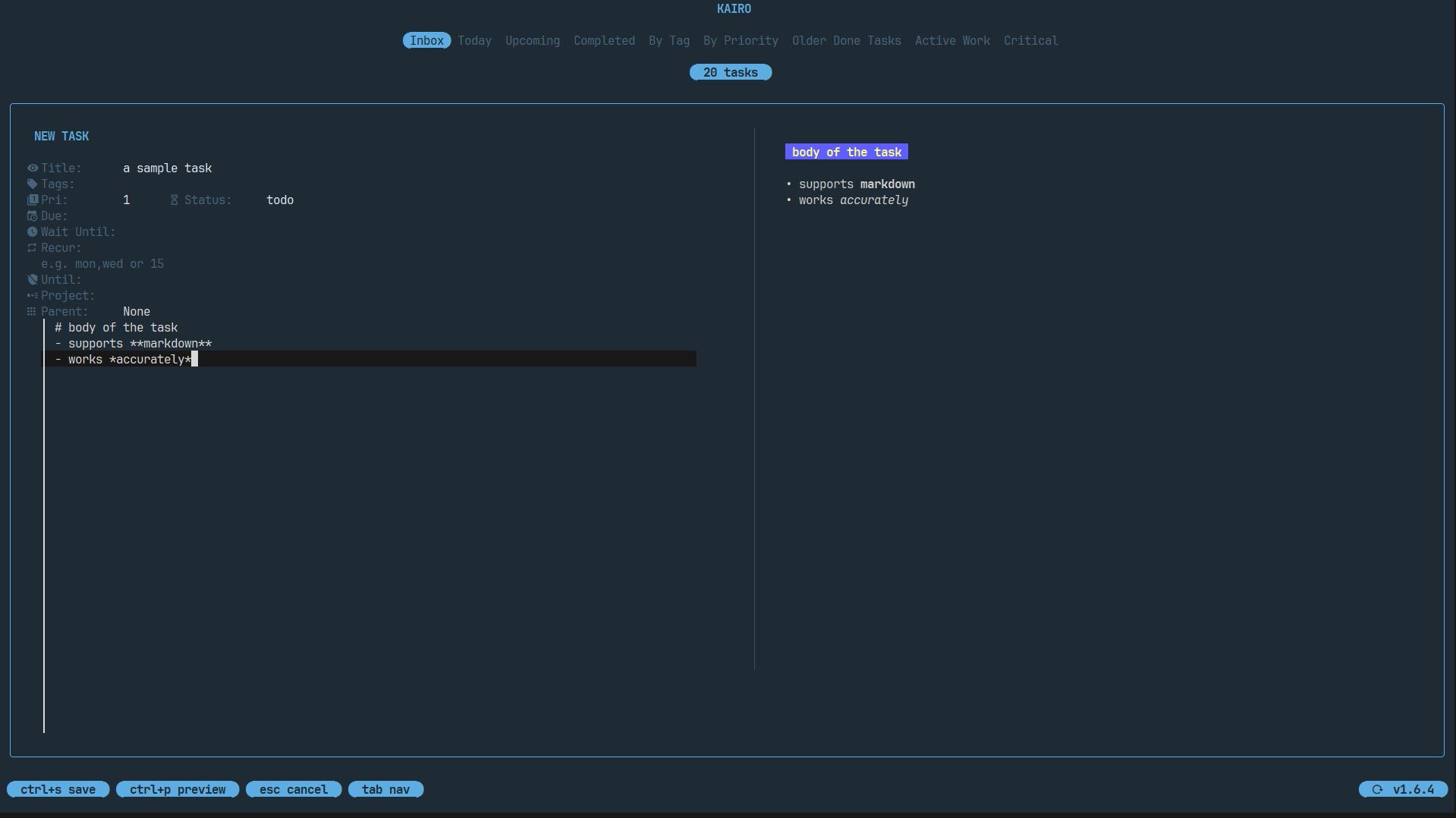
Rich Descriptions
When editing a task, use the Description field to add details. You can use standard Markdown syntax:
**Bold**and*Italic*[Links](https://example.com)- Bullet points1. Numbered lists> Blockquotes`Inline code`and code blocks.
Live Preview
Press ctrl+p while in the editor to toggle the Live Preview.
- Kairo renders the Markdown instantly in a side panel.
- The preview updates as you type.
Configurable Defaults
You can configure whether the Markdown preview is open by default in your config.toml:
[edit]
preview_default = true
Detail View
When viewing task details in the main list (press Space or Enter), Kairo renders the Markdown description beautifully with syntax highlighting for code blocks.