AI Assistant
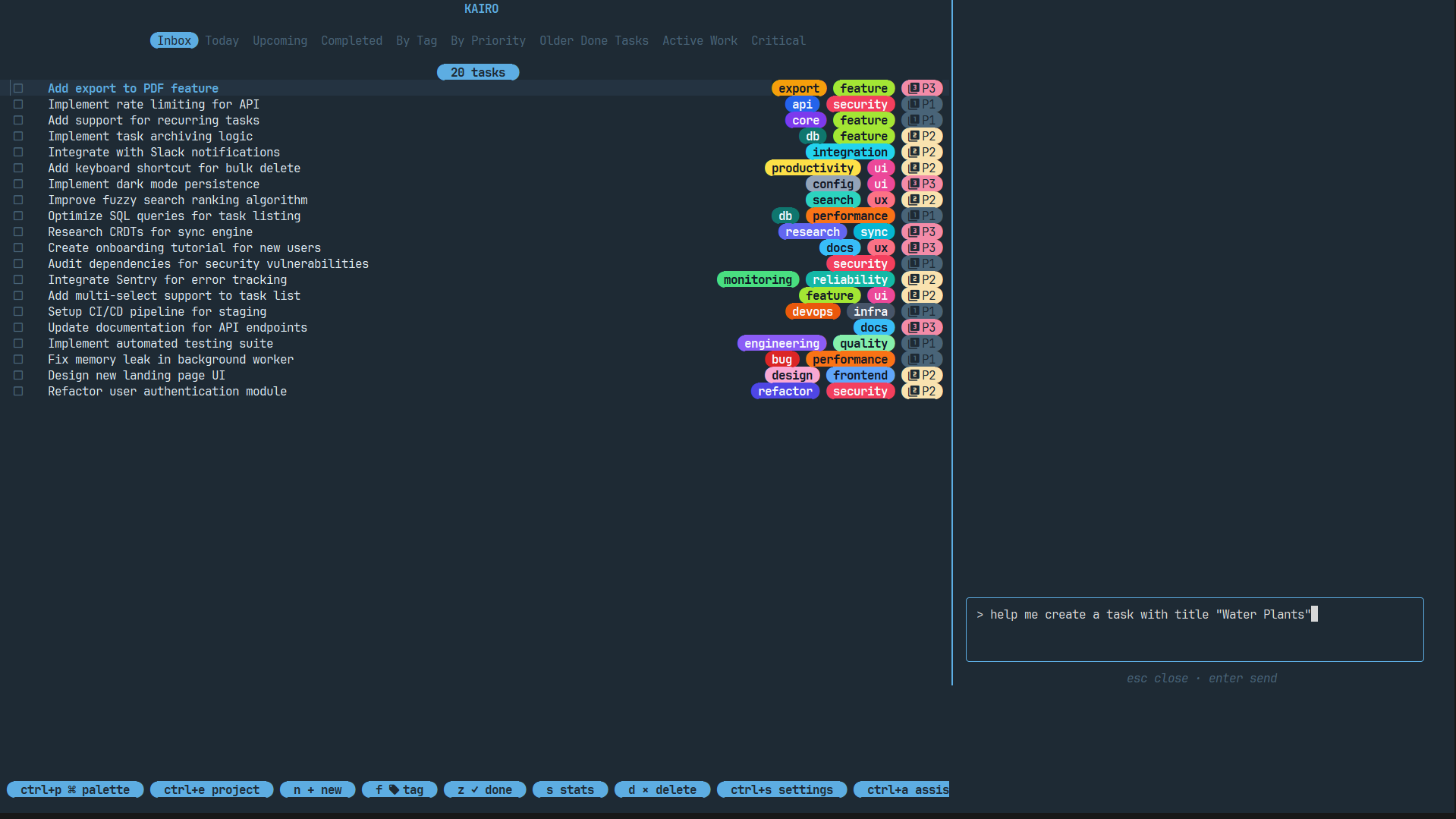
Kairo features an optional, non-intrusive AI assistant powered by Google's Gemini models. It allows you to manage tasks using natural language.
Setup
To use the AI features, you'll need a Google Gemini API key.
- Get a key from the Google AI Studio.
- Open the AI panel in Kairo by pressing
ctrl+a. - Follow the prompts to enter your API key, or add it manually to your
config.toml:
[app]
gemini_api_key = "your-api-key-here"
Usage
Press ctrl+a to toggle the AI panel. You can type commands like:
- "Create a task for tomorrow at 2pm to review the PR"
- "Schedule a recurring weekly task on mondays and fridays for gym"
- "Add a high priority task to project Kairo to fix the bug"
- "List all tasks tagged with work"
Capabilities
The AI assistant can:
- Create Tasks: Parses title, priority, tags, project, and complex deadlines.
- Manage Recurrence: Handles weekly and monthly schedules.
- Project Organization: Automatically assigns tasks to existing or new projects.
- Context Awareness: Understands your current task list and projects.
Privacy & Principles
- Optional: AI is completely disabled until you provide an API key.
- Local Data: Your tasks are only sent to the AI when you explicitly use the
ctrl+apanel. - No Training: Kairo uses the Gemini API in a way that (according to Google's standard API terms) does not use your data for model training.