Focus Engine
The Focus Engine is a native Pomodoro timer built directly into Kairo. It helps you commit to "Deep Work" sessions and tracks time against your active tasks.
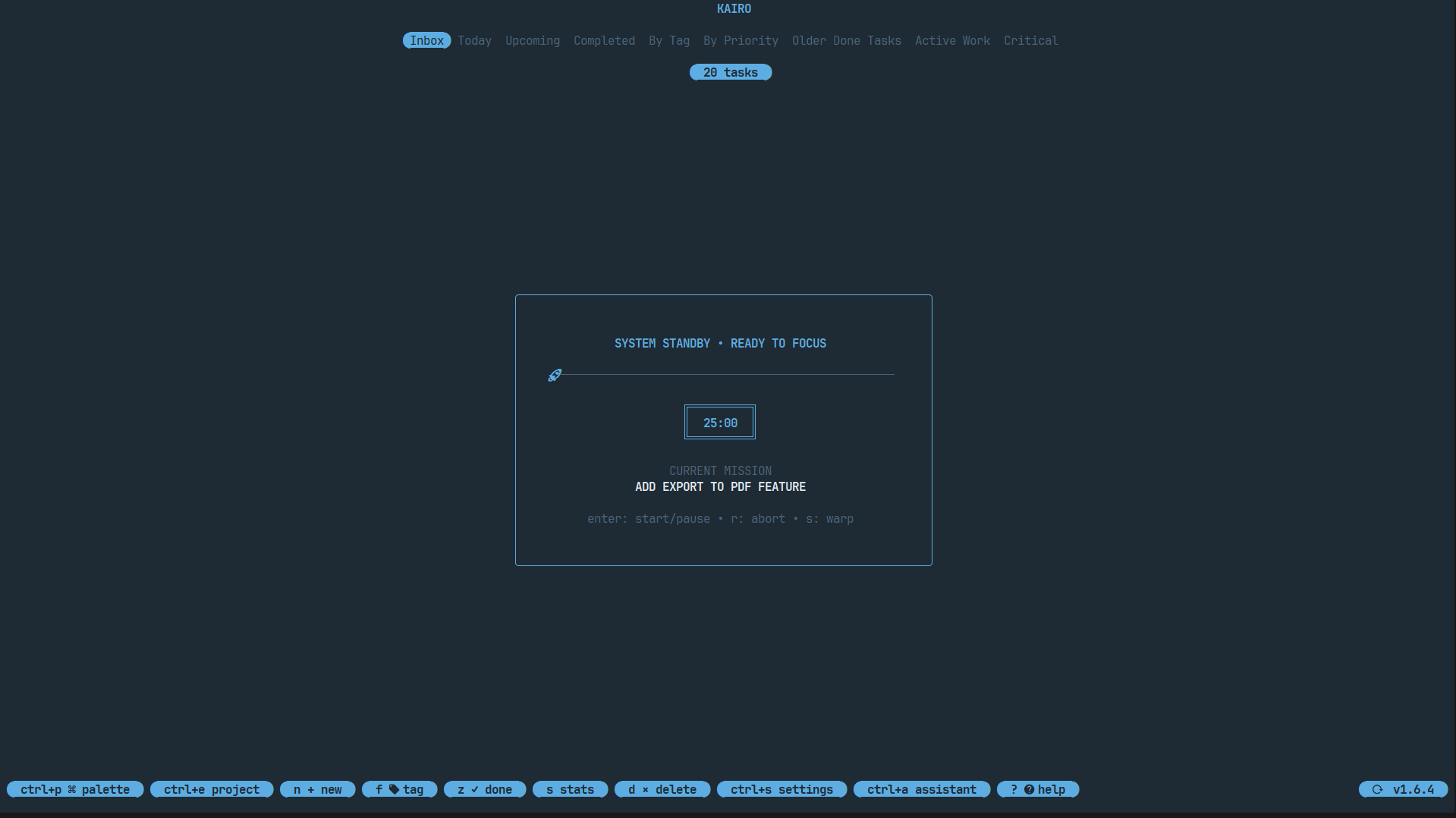
Starting a Session
- Select a task from the list.
- Press
fto launch the Focus Engine. - The timer starts immediately (default: 25 minutes).
During a Session
- Deep Work Pulse: A subtle "DEEP WORK" indicator pulses in the footer while the timer is active.
- Minimalist Overlay: Press
fagain to see the remaining time and session progress. - Lock-in: Kairo encourages you to stay focused on the selected task.
Key Controls
| Key | Action |
|---|---|
f | Toggle focus timer / Start session |
Space | Pause / Resume timer |
Esc | Stop and discard session |
z | Complete task and stop session |
Session Logic
Kairo follows the standard Pomodoro technique:
- Work: 25 minutes.
- Short Break: 5 minutes.
- Long Break: 15 minutes (every 4 sessions).
These durations can be customized in the Configuration.
Impact on Stats
Time spent in focus sessions is logged and visualized in the Momentum Dashboard. You can see exactly how much "Deep Work" you've put into each project and task.